Multimedia eBooks
These interactive, multimedia eBook projects are very different. The first is a textbook. Unlike a typical study document, however, it contains interactive elements from hotspots to videos to enrich and enhance learning. The second example was created to demonstrate how a lengthy Google Doc file with limited multimedia capability and be transformed into a compact, interactive eBook with a much wider array of content types, including, accordions and sliders, for reference documents.
Reimagining Self-Study with an Interactive Textbook
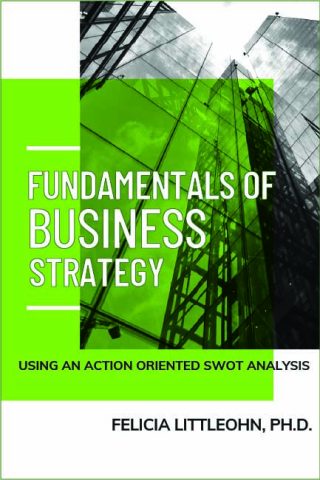
This impressive eBook is filled with entertaining and engaging content to help learners to build their strategic thinking skills within their free time and at their own pace. (Click book cover image to view.)
- Responsibilities: Instructional Design, Multimedia and Interactive Content (audio, video, podcasts, animated gifs, infographics), Interactions, Content
- Target Audience: Commercial business leaders in product management, strategic marketing, business development, and sales
- Tools Used: H5P, Adobe Aftereffects, Adobe Premiere Pro, Adobe Illustrator, Adobe Audition, Adobe Photoshop, Adobe Character, 3D Animation Software, Tech Smith Camtasia, Zoom, WordPress
The book was designed around providing an objectives focused experience first and foremost. That objective was to help learners to become more strategic through the use of an Action Oriented SWOT analysis.
All of the multimedia contents of the book were created by me and all of the content was written by me. These lessons will be part of a series on the Fundamentals of Business Strategy. I am writing this book as part of my mission to promote upskilling of talent for retention and job satisfaction;
Step 1 – Preliminary Design Document
Step 2 – Final Design Document
Step 3 – Create video storyboards, scripts, and other multimedia instructions
Step 4 – Create podcast, video, audio, infographics, animated gif, interactive content, book cover, and text
Step 5 – Write chapters
Step 6 – Finalize and polish content in Pressbooks
Step 7 – Transfer book out of Pressbooks and into WordPress.
Note: Peer reviews throughout,
This course is designed to teach learner in the same manner as many professionals learn today – by digesting thought providing and procedural input – in a structured and active way.
Each chapter contains a video and an assessment. These elements are intended to help learners to find self study a quick and effective way of learning new content. This is also highly adaptive for use in classrooms, as it encourages instructors to have learners reflect verbally in grup discussions. In fact, this text was utilized in the Action Oriented SWOT course mentioned here under courses.
Finally, this learning is supplemented through blog posts. These blog posts are intended to help learners to learn more, to seek out this book, or to provide a deeper explanation of the content.
A perception that many learners have, particularly social learners, is that they can not learn from an online course or a book. This book aims to challenge this notion by being entertaining and by providing a number of approaches for learning the material.
Interactive Blackboard Quickstart Guide for H5P Demo (OER)
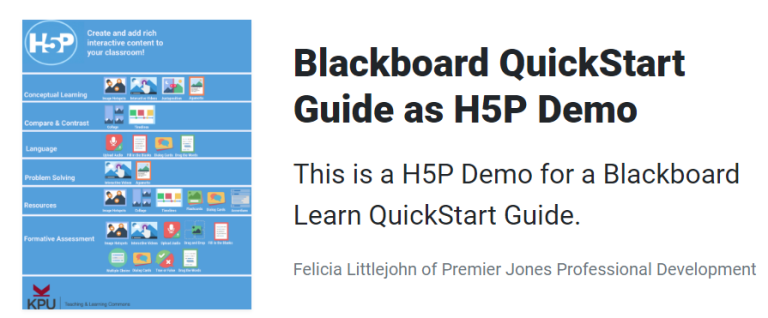
Interactive Blackboard Quickstart Guide for H5P Demo (H5P book) v2

Please wait for the H5P QuickStart guide to load below.
This was a quick, mini training course that I provided for a 1h Show-and-Tell training session on H5P for a university department.
This training process consisted of the following activities:
Setting Objectives
The goal was to make sure that the trainees developed an understanding of what H5P is, what it can do for them (based on the department’s eLearning and instructional design support mission), and how the software works.
Preparation
In preparation for this training exercise, I developed a preliminary agenda and shared it with the team. I requested that they sign in to H5P.org prior to the training and suggested that they have a WordPress blog set up if they wished to.
I also pulled or created examples to show (1) how H5P is used to achieve different cognitive levels, (2) how H5P can be used to replace animated gif in their training material and why having controls helps, and finally (3) how H5P can be embedded within text on a WebSite to make the content more concise (as demonstrated in the above eBook), (4) how the Google Doc that is used for the new faculty’s Blackboard Quickstart guide can be transformed as demoed below.
Note that the ‘cover’ for the QuickStart guide is not a graphic that I created. And, it is labelled with links to the source of the infographic. I merely used it to reference and to show what the software can do. In addition, note that this was done after completion a project where I updated the UMass Boston QuickStart Guide for new faculty. Updates included replacing all of the screenshots and animated gifs due to the adoption of a new theme, as well as, enhancing the topics covered to better align with the Teaching and Learning Online (TLO) course for new faculty.
I went through the process of setting up a campus WordPress site to house the demos and showing how the H5P interactions can be used in Blackboard as well.
Implementation
The training was implemented as sequenced at left in the OneNote document. This screen used in place of an agenda and shown on screen so that everyone could follow along. The training was recorded. After training, these notes were sent to invitees to reinforce the training for those who were present and to inform those who missed the session what was covered.
The highlight of this training is that the trainees were able to connect to the software and to see the possibilities – despite implementation challenges created by the university’s systems.
